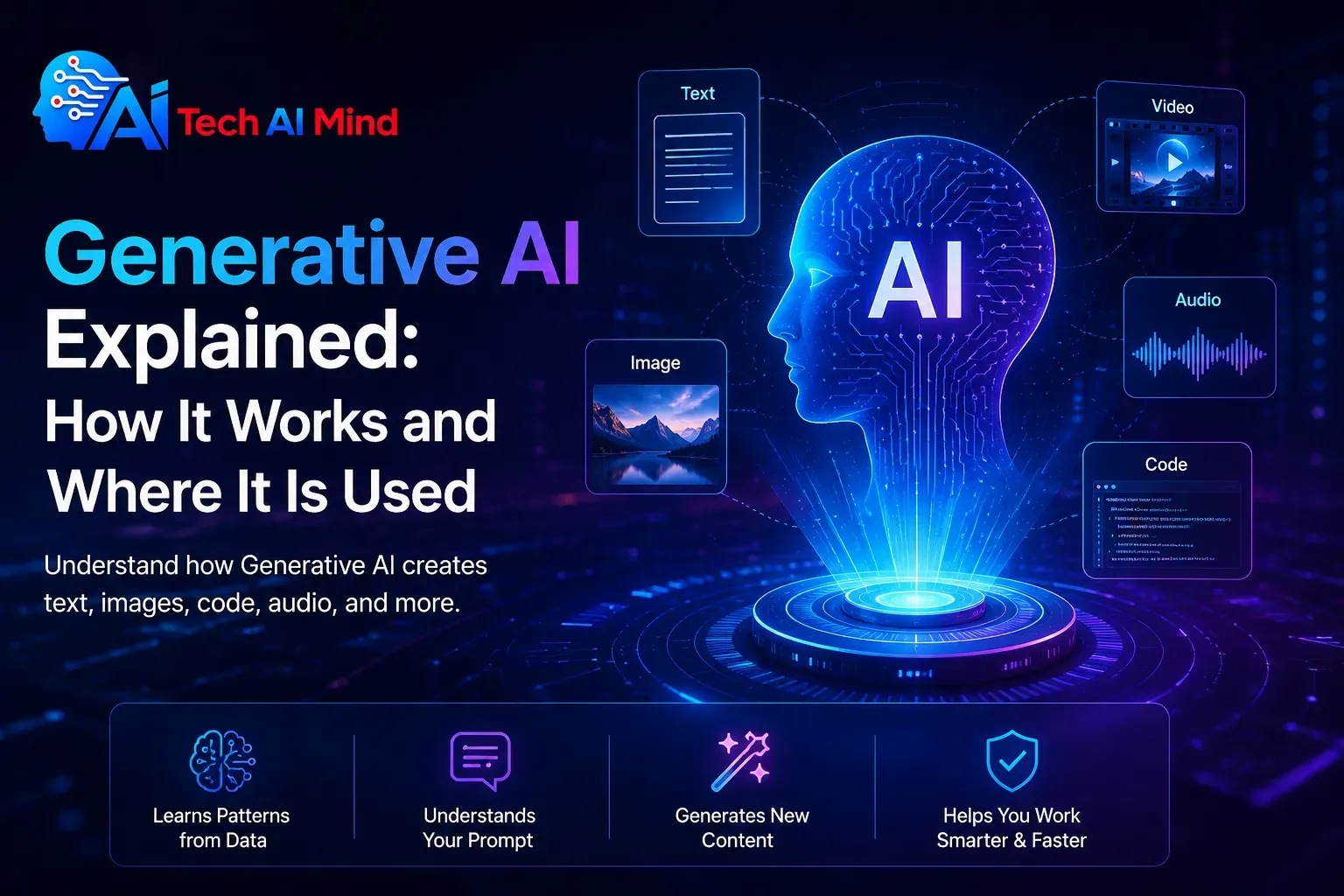
Generative AI is a type of artificial intelligence that can create new content, including text, images, audio, video, computer code, and other digital material. Instead of only analyzing existing information, generative artificial intelligence learns patterns from data and uses those patterns to produce new outputs in response to instructions called prompts.
You may already use generative AI when you ask an AI assistant to summarize an article, create an image, explain code, draft an email, analyze a document, or generate ideas.
This beginner’s guide explains how generative AI works, where it is used, its benefits and limitations, and how to use it more responsibly.
What Is Generative AI?
Generative AI is artificial intelligence designed to create new content from instructions or other input.
The output can include:
- Written text
- Images
- Audio
- Music
- Video
- Computer code
- Summaries
- Presentations
- Data interpretations
- Conversational responses
Google Cloud describes generative AI as using machine-learning models to create new content such as text, images, music, audio, and video, usually in response to a prompt.
If you are completely new to AI, start with our guide to what artificial intelligence is before exploring generative systems in more detail.
Generative AI in Simple Words
Think of traditional software as a system that follows instructions.
For example:
Click a button → open a page.
Generative AI works differently.
You can give it a request such as:
Create a simple explanation of cybersecurity for a beginner.
The AI interprets the instruction and generates a new response.
Another example:
Create an illustration of a futuristic smart city at night.
An image-generation system can interpret that description and produce a new visual.
The key difference is generation.
Instead of simply retrieving a fixed answer, the model produces an output based on patterns it learned during training.
Quick Answer: How Does Generative AI Work?
A simplified generative AI workflow looks like this:
Training data → AI model learns patterns → user provides a prompt → model processes the prompt → model predicts an appropriate output → user reviews the result
A more advanced system may also connect the AI model to:
- Search engines
- Company databases
- Documents
- Software tools
- APIs
- Business applications
- Real-time information
Connecting an AI system to verifiable information is often called grounding. Retrieval-augmented generation, or RAG, is one common method for retrieving relevant information and providing it to a generative model before it answers.
How Generative AI Works Step by Step
You do not need to understand advanced mathematics to understand the basic process.
1. Large Amounts of Data Are Used for Training
Generative models are trained using large collections of data relevant to the tasks they are expected to perform.
Depending on the model, training information may contain:
- Text
- Images
- Audio
- Video
- Computer code
- Other structured or unstructured data
During training, the model learns statistical patterns and relationships rather than simply storing a traditional database of ready-made answers.
Google Cloud describes foundation models as large models trained on extensive data that can span several types of information, including text, images, video, and audio.
2. The Model Learns Patterns
Imagine reading thousands of cooking recipes.
Eventually, you would begin to recognize patterns:
- Ingredients are listed first.
- Instructions follow.
- Certain ingredients frequently appear together.
- Cooking times vary depending on the dish.
Generative AI performs a much more complex mathematical version of pattern learning.
A language model learns relationships between words, phrases, concepts, structure, and context.
An image model learns relationships between visual features and descriptions.
3. The User Provides a Prompt
A prompt is the instruction or information provided to a generative AI system.
For example:
Explain machine learning to a 12-year-old using an everyday example.
Or:
Create five subject lines for an email announcing a new productivity app.
Prompts can also contain:
- Uploaded documents
- Images
- Audio
- Code
- Tables
- Examples
- Detailed instructions
More capable multimodal systems can process several types of input rather than being limited to text alone.
4. The Model Processes the Input
For text-based systems, input is commonly divided into smaller units called tokens.
The model evaluates relationships between these units and the surrounding context.
Many modern language models use architectures influenced by the Transformer, introduced by Google researchers in the 2017 paper Attention Is All You Need. The architecture uses attention mechanisms to help models identify relevant relationships within input sequences.
You do not need to understand transformers to use generative AI.
The practical idea is simple:
The model examines your input, considers patterns learned during training, and calculates what output is likely to fit your request.
5. The Model Generates an Output
The AI then produces its response.
For a language model, this involves predicting sequences of tokens.
For an image model, the process can be different. Some text-to-image systems use diffusion techniques, which progressively generate or refine visual information based on the prompt.
The result might be:
- A paragraph
- An email
- A photograph-like image
- A spreadsheet formula
- A piece of software code
- A summary
- A video
- An audio response
6. The User Reviews the Result
This is one of the most important steps.
AI output should not automatically be treated as correct.
Generative systems can produce information that is:
- Incorrect
- Outdated
- Incomplete
- Misleading
- Biased
- Unsupported
Human review is particularly important when AI is used for business, healthcare, finance, law, cybersecurity, education, or other high-impact areas.
What Are Foundation Models?
A foundation model is a large AI model trained on broad amounts of data that can later be adapted or used for many different tasks.
Instead of creating a completely separate AI model for every small task, a foundation model may support activities such as:
- Writing
- Summarization
- Question answering
- Translation
- Coding
- Classification
- Image understanding
- Content generation
Google Cloud describes foundation models as large, powerful models that can work across different types of data and can serve as a foundation for multiple AI applications.
What Is a Large Language Model?
A large language model, or LLM, is a model designed primarily to process and generate language.
LLMs can perform tasks such as:
- Answering questions
- Creating text
- Summarizing documents
- Translating languages
- Explaining concepts
- Generating code
- Rewriting information
- Extracting structured information from text
Large language models are one important part of generative AI, but generative AI is broader.
For example, image-generation and video-generation systems may rely on different model architectures.
Generative AI vs Traditional AI
Generative AI and traditional AI can overlap, but they often serve different purposes.
| Traditional AI | Generative AI |
|---|---|
| Often analyzes or classifies information | Creates new content |
| Can predict outcomes | Can generate text, images, audio, video, or code |
| Often produces a category or score | Often produces a new digital output |
| Used for fraud detection or recommendations | Used for writing, design, coding, and creation |
| Usually focused on prediction or classification | Usually focused on generation |
Google Cloud explains that traditional AI is commonly used for activities such as classification and prediction, while generative models expand those capabilities by creating new content and summaries.
The two approaches can also work together.
A business application might use traditional machine learning to identify suspicious transactions and generative AI to summarize the findings for an analyst.
What Can Generative AI Create?
Text
AI can generate:
- Articles
- Emails
- Product descriptions
- Summaries
- Reports
- Social posts
- Scripts
- Ideas
- Questions and answers
Text generation is one of the most common applications of modern generative AI.
Images
Text-to-image AI can create or edit visual content based on natural-language descriptions. Current systems can be used for concept art, illustrations, marketing visuals, product ideas, and other creative workflows.
Video
Generative models can create or transform video content.
Possible uses include:
- Marketing videos
- Concept visualization
- Educational material
- Storyboarding
- Social content
Audio and Voice
AI can generate or process:
- Speech
- Voiceovers
- Sound
- Music
- Transcriptions
Computer Code
Generative AI can assist developers by:
- Suggesting code
- Explaining functions
- Finding possible bugs
- Creating tests
- Writing documentation
- Converting code between languages
Explore our guide to the best AI coding assistants for tools designed around software development.
Where Is Generative AI Used?
Generative artificial intelligence is useful because the same underlying technology can support many different industries and workflows.
1. Writing and Content Creation
Writers can use AI to assist with:
- Research organization
- Brainstorming
- Outlining
- Drafting
- Editing
- Headline ideas
- Summaries
However, publishing raw AI output without checking accuracy, originality, sources, or usefulness can create poor-quality content.
A better workflow is:
Research → AI assistance → human editing → fact checking → final publication
2. Marketing
Marketing teams may use generative AI to help create:
- Campaign ideas
- Email drafts
- Ad variations
- Product descriptions
- Audience research summaries
- Social media ideas
- Landing-page concepts
AI can speed up production, but branding, accuracy, customer understanding, and final approval still benefit from human oversight.
See our guide to the best AI marketing tools.
3. Software Development
Developers can use generative systems as coding assistants.
Possible uses include:
- Creating code examples
- Explaining unfamiliar code
- Generating unit tests
- Writing documentation
- Debugging
- Refactoring
- Brainstorming technical solutions
Developers should avoid exposing sensitive company code, private credentials, API keys, or confidential information to services that have not been approved for those uses.
4. Customer Service
Generative AI can help businesses create conversational support systems.
An AI support tool might:
- Read a customer question.
- Identify what the customer needs.
- Search approved support information.
- Generate a response.
- Escalate difficult cases to a human agent.
Grounding the system with approved company data can help connect responses to verifiable information rather than relying only on the model’s internal patterns.
5. Search and Research
Generative AI can help users:
- Summarize documents
- Compare information
- Ask questions about files
- Extract key points
- Organize research
- Find connections between ideas
However, research answers should be checked against original sources.
This is particularly important when citations, statistics, dates, medical information, or technical claims matter.
6. Graphic Design
Designers can use generative AI for:
- Concept development
- Image creation
- Background generation
- Product mockups
- Creative variations
- Image editing
- Storyboards
AI can accelerate early creative work while designers retain control of final decisions.
7. Education
Generative AI can support learning by:
- Explaining difficult topics
- Creating practice questions
- Generating examples
- Building study plans
- Summarizing notes
- Providing alternative explanations
Students should use AI as a learning aid rather than as a replacement for understanding a subject.
8. Ecommerce
Online businesses may use generative systems for:
- Product descriptions
- Customer support
- Shopping assistants
- Product discovery
- Personalized content
- Marketing copy
9. Business Productivity
Employees may use AI to help:
- Summarize meetings
- Draft reports
- Organize notes
- Create presentations
- Analyze documents
- Write emails
- Brainstorm projects
10. Data Analysis
Generative interfaces can make data easier to explore.
A user might ask:
Which product category had the largest increase in sales last quarter?
When connected to appropriate business data, an AI system may help translate a natural-language question into analysis or a structured query.
The results should still be validated when decisions depend on them.
What Is Multimodal Generative AI?
Early AI tools often worked mainly with one type of information.
Modern multimodal AI can process combinations of:
- Text
- Images
- Audio
- Video
- Documents
For example, you might upload a chart and ask the AI to explain it.
Or upload a product photo and ask for marketing ideas.
Google Cloud describes multimodal AI as systems capable of processing several types of information, extending generative capabilities beyond a single input mode.
What Is RAG in Generative AI?
RAG stands for retrieval-augmented generation.
It is a method of giving a generative AI system relevant external information before it creates an answer.
Imagine asking an AI:
What is our company’s refund policy?
Without access to your company’s documentation, the model may not know the correct answer.
With RAG, the system can:
- Search your approved documents.
- Retrieve the relevant refund policy.
- Give that information to the model.
- Generate an answer based on the retrieved material.
Google Cloud recommends retrieval-augmented generation as one way to ground model responses in verifiable information.
This makes RAG particularly useful for:
- Enterprise knowledge bases
- Customer support
- Document search
- Internal assistants
- Research systems
Generative AI vs AI Agents
Generative AI and AI agents are closely connected but not identical.
A basic generative AI interaction may be:
Prompt → response
An AI agent can be designed around a broader workflow:
Goal → plan → use tools → complete actions → evaluate results
For example, instead of merely suggesting travel options, an AI agent might be designed to search available data, compare options, organize results, and complete several connected steps.
Learn more in our beginner’s guide to AI agents.
Benefits of Generative AI
Faster Content Creation
Generative AI can produce drafts and ideas within seconds.
This can reduce the amount of time spent starting repetitive creative tasks.
Increased Productivity
Workers can use AI to summarize information, prepare drafts, organize data, and automate portions of routine workflows.
Easier Access to Information
Conversational interfaces allow users to ask questions using normal language rather than learning complicated software commands.
Faster Idea Generation
AI can generate multiple ideas quickly, making it useful for brainstorming.
Personalization
Generative systems can adapt output based on instructions about:
- Audience
- Tone
- Format
- Reading level
- Goals
- Context
Assistance With Technical Tasks
Generative AI can make some technical information easier to understand by explaining code, data, or complex concepts in simpler language.
Limitations and Risks of Generative AI
Generative AI is powerful, but it has important limitations.
The U.S. National Institute of Standards and Technology has published a dedicated Generative AI Profile as part of its AI Risk Management Framework to help organizations identify and manage risks associated with generative systems.
AI Hallucinations
A generative model may produce incorrect information that sounds convincing.
This is commonly called a hallucination or confabulation.
For example, AI may generate:
- Incorrect facts
- Nonexistent citations
- Wrong dates
- False product specifications
- Made-up statistics
Always verify important claims.
Privacy Risks
Be careful when uploading:
- Personal information
- Customer information
- Business documents
- Financial records
- Passwords
- API keys
- Confidential files
Before using AI with sensitive data, understand the provider’s privacy, security, retention, and data-use policies.
Read our guide to AI privacy risks for additional precautions.
Bias
AI models learn from data, and data can contain biases or incomplete representations.
Human review remains important when outputs affect people.
Copyright and Ownership Questions
AI-generated material can create questions about ownership, training data, attribution, and appropriate use.
Rules may vary by country and can change as laws and court decisions evolve.
Businesses should understand the legal requirements that apply to their intended use.
Outdated Information
A model’s built-in knowledge may not include the latest information.
Access to search, tools, APIs, or grounded data can improve freshness, but users should still verify time-sensitive claims.
Overreliance on AI
AI can assist human judgment but should not automatically replace it.
This is especially important for:
- Medical decisions
- Legal advice
- Financial decisions
- Hiring
- Security
- Safety-critical operations
How to Use Generative AI Safely
A simple approach is to follow six rules.
1. Start With Low-Risk Tasks
Use AI first for activities such as:
- Brainstorming
- Outlining
- Summarizing your own notes
- Drafting non-sensitive text
2. Never Assume the Output Is Correct
Check factual claims using trustworthy sources.
3. Protect Sensitive Information
Do not enter confidential information into an AI service unless its use has been approved for that information.
4. Use Primary Sources
When researching important topics, verify information through:
- Government agencies
- Official documentation
- Original research
- Manufacturer websites
- Academic institutions
5. Keep Human Review
The more important the decision, the more important human oversight becomes.
6. Understand the Tool Before Paying
Before subscribing, check:
- Features
- Usage limits
- Privacy
- Integrations
- Supported models
- Pricing
- Cancellation terms
Our guide on how to choose the right AI tool explains these factors in more detail.
Will Generative AI Replace Jobs?
Generative AI can automate parts of some jobs, but a job usually contains many different tasks.
AI may be particularly useful for:
- Drafting
- Classification
- Summarization
- Data processing
- Routine communication
- Research assistance
Human skills remain important for:
- Judgment
- Accountability
- Leadership
- Empathy
- Strategy
- Negotiation
- Original decision-making
- Understanding complex real-world context
For many workers, the practical change may be less about replacing an entire profession and more about changing how specific tasks are completed.
Frequently Asked Questions
Key Takeaways
- Generative AI creates new content rather than only analyzing existing data.
- It can generate text, images, video, audio, code, summaries, and other digital outputs.
- Generative models learn patterns from large amounts of training data.
- A prompt tells the AI what the user wants.
- Large language models are commonly used for text-based generative AI.
- Some image-generation systems use diffusion techniques.
- Generative AI is used in writing, marketing, software development, education, business, design, ecommerce, and customer support.
- RAG can connect AI systems to external information and help ground answers in verifiable sources.
- AI-generated information is not automatically accurate.
- Privacy, bias, security, copyright, and hallucinations are important considerations.
- Human review remains essential for important decisions.
Conclusion: What Is Generative AI and Why Does It Matter?
Generative AI is a branch of artificial intelligence that can create new content from prompts and other inputs.
It can generate written responses, images, computer code, audio, video, summaries, and many other forms of digital information. Modern generative systems learn patterns from large datasets and use those patterns to calculate useful outputs when users provide instructions.
Its value comes from its flexibility.
The same underlying technology can help a student understand a difficult topic, help a developer explain code, help a business summarize documents, or help a designer explore visual ideas.
But generative AI also has clear limitations. It can produce false information, misunderstand context, expose sensitive information when used carelessly, or create unreliable output.
The most effective approach is therefore not to treat AI as a replacement for human judgment.
Use generative AI to assist your work, then verify, edit, and improve what it produces.
For readers who want to continue learning, explore what artificial intelligence is, learn how to choose an AI tool, or discover what AI agents are.
Authoritative Resources
For deeper technical and safety information, readers can also explore Google’s official Generative AI documentation, the original Google Research Transformer paper, and the NIST AI Risk Management Framework.
2 thoughts on “Generative AI Explained: How It Works and Where It Is Used”