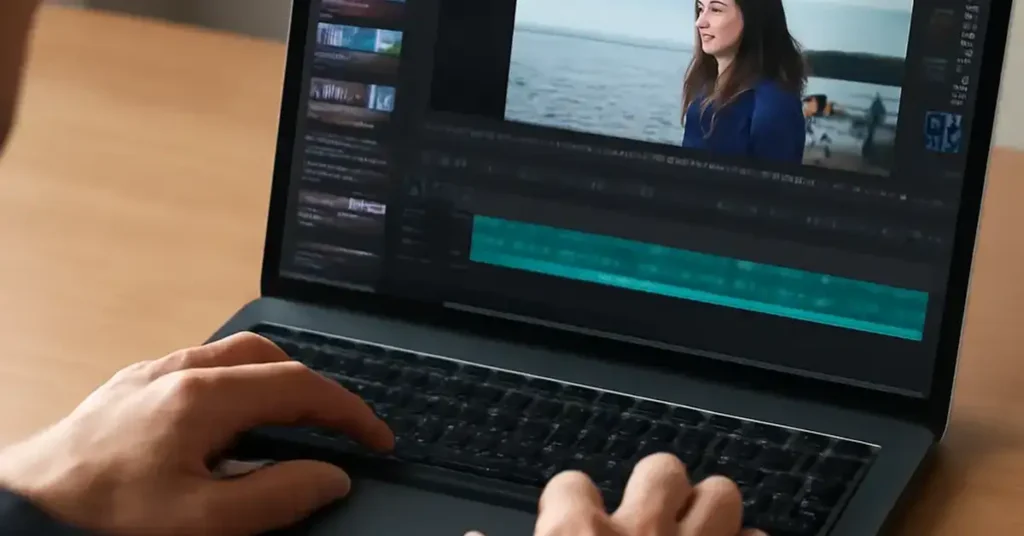
AI tools for video editing Key Takeaways
Video content continues to dominate digital marketing, social media, and corporate communication.
- AI video editing tools can reduce production time by up to 80% by automating repetitive tasks like cutting silences and adding captions.
- Top platforms range from free AI-enhanced editors for beginners to professional suites with advanced neural-network features for filmmakers.
- Choosing the right tool depends on your specific needs: content type, budget, and desired level of creative control.
Why AI Tools for Video Editing Matter in 2025
Video content continues to dominate digital marketing, social media, and corporate communication. The demand for high-quality video has never been higher, but the time and skill required to produce it have traditionally been significant barriers. Enter artificial intelligence. The latest AI tools for video editing leverage machine learning models trained on millions of hours of footage to understand context, recognize objects, and predict editing decisions.
These tools do not replace the creative editor. Instead, they eliminate drudgery. An AI can sift through a four-hour interview to find the best takes, balance audio levels instantly, or generate a social-media cut in seconds. For creators and businesses alike, this means faster turnaround, lower costs, and more room for creative experimentation.
What to Look for in a Modern AI Video Editor
Before diving into the comparison, it helps to understand the key capabilities that separate a basic AI tool from a game-changing one. Look for features like automatic transcription and subtitle generation, intelligent trimming (removing pauses and filler words), and AI-powered color correction. The most advanced platforms also offer text-to-video generation, where you describe a scene and the AI produces matching footage from stock libraries or AI-generated clips.
The Best AI Video Editing Tools Compared
We evaluated each platform based on feature depth, ease of use, pricing, and output quality. Here are the seven best AI video editing tools leading the pack in 2025. For a related guide, see 10 Best AI Tools for YouTube Creators and Video Marketers in 2025.
1. Adobe Premiere Pro (with Adobe Sensei and Firefly)
Adobe remains the industry standard, and its AI integrations make it even more powerful. Adobe Sensei powers features like Auto Reframe, which automatically adjusts aspect ratios for different social platforms, and Scene Edit Detection, which can reverse-engineer a finished edit into its original clips. The recently added Adobe Firefly generative AI allows editors to create custom footage, extend clips with inpainting, or generate sound effects directly in the timeline.
Best for: Professional editors and production houses that need a complete, industry-compatible suite.
Pricing: Approximately USD $22.99/month (single app) as part of Creative Cloud. A free trial is available.
2. RunwayML (Gen-3 and Gen-2 Models)
Runway is at the forefront of generative video AI. Its Gen-3 model allows you to create short video clips from text prompts or images, with impressive consistency and motion quality. Beyond generation, Runway offers a full browser-based editor with tools for removing objects (Inpainting), turning videos into green-screen masks (Unscreen), and upscaling footage. It handles much of the heavy lifting that used to require manual keyframing and rotoscoping.
Best for: Motion designers, VFX artists, and early adopters pushing creative boundaries.
Pricing: Free tier available (limited credits). Pro plan starts at USD $12/month for 625 credits. Higher tiers for more generation and resolution.
3. Descript
Descript revolutionized video editing by treating it like a text document. It transcribes your footage with high accuracy, and any text you delete, the corresponding video is removed. Its key AI features include AI-powered filler word removal, Studio Sound (to clean up noisy audio), and the new AI Eye Contact feature, which adjusts your gaze to look directly at the camera. It is exceptionally strong for long-form content like podcasts and tutorials.
Best for: Podcasters, educators, YouTubers, and content teams who edit based on dialogue.
Pricing: Free tier (1 hour transcription). Business plan at USD $24/month per person for unlimited transcription and advanced features.
4. Peech
Until recently, Peech was known primarily for audio cleanup, but its latest version includes a robust video editing suite. It excels at generative AI tasks like creating B-roll from text prompts (Text to Video) and dynamic caption styling. Its AI also analyzes your raw footage to suggest the most visually interesting clips, a feature called Smart Cuts. Peech combines audio excellence with expanding video capabilities.
Best for: Social media managers and marketers who need to repurpose long-form content quickly.
Pricing: Free tier available (limited exports). Pro plan starts at USD $9/month. Team plans are custom-priced.
5. CapCut (Pro Version)
CapCut, developed by ByteDance (the company behind TikTok), is the most accessible AI video editor on this list. It offers a wealth of free and low-cost AI features: Auto Captions, Text-to-Speech with a wide range of natural voices, AI portrait and background removal, and AI upscaling. Its interface is simple and mobile-friendly, though a desktop version exists. For basic cutting, trending effects, and short-form content, CapCut is incredibly efficient.
Best for: TikTok creators, social media influencers, and anyone starting with video editing on a tight budget.
Pricing: Core features are free. CapCut Pro is USD $7.99/month (or $74.99/year) for advanced tools and more export credits.
6. Synthesia
Synthesia focuses entirely on AI-generated video from text. You type a script, choose an AI avatar (or a custom one), select a background, and the platform generates a presenter-style video. It does not edit raw footage; instead, it generates new content. For corporate training videos, product walkthroughs, and customer communications, Synthesia eliminates the need for cameras, studios, and on-camera talent.
Best for: Corporate L and D teams, HR departments, and sales enablement groups needing scalable video production.
Pricing: Personal plan starts at USD $29/month (10 minutes of video). Enterprise plans offer unlimited minutes and custom avatars.
7. DaVinci Resolve (Neural Engine)
DaVinci Resolve, a powerhouse in professional color grading, has built a robust Neural Engine. Its AI capabilities include Magic Mask (to isolate objects or people without green screens), Speed Warp (for smooth motion estimation and time-remapping), and neural scene detection. While its interface is complex for beginners, the quality of its AI-assisted tools is unmatched, especially for high-end post-production work.
Best for: Colorists, advanced editors, and film/TV production professionals.
Pricing: A generous free version includes most features. DaVinci Resolve Studio is a one-time purchase of USD $295.
Comparing Top AI Video Editing Tools
To make your decision easier, here is a direct comparison of the most important factors.
| Platform | Best For | Key AI Feature | Starting Price | Learning Curve |
|---|---|---|---|---|
| Adobe Premiere Pro | Professionals | Auto Reframe, Generative Fill | USD $22.99/mo | Medium-High |
| RunwayML | Motion Design and VFX | Text-to-Video, Inpainting | USD $12/mo (Pro) | Medium |
| Descript | Podcasters and Educators | Text-based Editing, Filler Removal | Free / USD $24/mo (Business) | Low |
| Peech | Social Media Marketers | Smart Cuts, AI Captions | Free / USD $9/mo (Pro) | Low |
| CapCut | Social Creators | Auto Captions, AI Avatars | Free / USD $7.99/mo (Pro) | Very Low |
| Synthesia | Corporate Video | AI Avatars, Script-to-Video | USD $29/mo | Low |
| DaVinci Resolve | Colorists and Pros | Magic Mask, Neural Engine | Free / USD $295 (Studio) | High |
How to Choose the Right Tool for Your Workflow
Your choice of AI tools for video editing should align with your specific content goals and team structure. For a solo creator on YouTube, Descript or CapCut offer the best balance of speed and cost. If you are a video agency producing polished ads, Adobe Premiere Pro or DaVinci Resolve remain essential, though you might supplement them with Runway for generative effects. For a related guide, see Best Free Artificial Intelligence Tools For Content Creators And Busin: Best Free AI Tools for Content Creators and Businesses in 2025.
Consider your team’s technical skill. A steep learning curve, like with DaVinci, pays off in quality but can slow initial output. Conversely, a tool like Peech or Descript allows new editors to become productive in hours. Most platforms offer free trials, so test your real workflow before committing.
Useful Resources
To stay current with the rapidly evolving AI video landscape, these resources are invaluable.
- Adobe’s official overview of AI in Premiere Pro — Get first-hand details on Adobe’s latest Firefly integrations and Sensei features.
- The r/VideoEditing community on Reddit — A vibrant forum where professionals and enthusiasts discuss the latest AI tools, tips, and workflows in real time.
Frequently Asked Questions About AI tools for video editing
What is the best AI tool for video editing for beginners?
CapCut is widely considered the most beginner-friendly because of its intuitive interface and generous free tier.
Can AI tools replace human video editors?
No, AI tools are designed to automate repetitive tasks and speed up workflows, not replace human creativity, storytelling, or final decision-making.
Are there free AI video editing tools ?
Yes, CapCut offers a powerful free version, and DaVinci Resolve’s free tier includes its Neural Engine features. Most platforms also provide free trials or limited free plans.
How accurate is AI-powered automatic transcription for video?
Modern AI transcription is highly accurate, often exceeding 95% for clear audio in standard language dialects. It may struggle with heavy accents or background noise.
What is text-to-video generation?
Text-to-video is an AI feature where you type a description of a scene or clip, and the AI generates a matching video segment from stock libraries or AI-created content.
Can AI tools edit videos in real time?
Some features, like AI captions in CapCut or Descript, process very quickly. Complex tasks like full generative video from Runway may take a few minutes per generation.
What is AI upscaling in video editing?
AI upscaling uses machine learning to increase video resolution (e.g., from 720p to 1080p or 4K) by predicting and filling in missing detail.
Is there an AI tool that removes video backgrounds automatically?
Yes, both CapCut and Runway offer one-click background removal using AI. Adobe Premiere Pro also offers this through the “AutoMask” feature.
How does AI improve color grading?
AI tools can analyze a shot and automatically apply color corrections to balance exposure, contrast, and skin tones, or match the look of a reference clip.
Which AI video editor is best for podcasts?
Descript is the top choice for podcasts because of its text-based editing, excellent Studio Sound cleanup, and automatic filler word removal.
Can I use AI to create a video script?
Some platforms like Synthesia include AI script generation, but dedicated tools like ChatGPT or Jasper are often more versatile for scriptwriting.
What is the difference between AI editing and traditional editing?
Traditional editing requires manual cutting, trimming, and effect application, while AI editing automates these steps based on analysis of content and audio.
Are AI video editors safe with my footage?
Reputable platforms process your footage securely. Most offer local processing for sensitive projects. Always review the privacy policy of any online editing tool.
Can AI tools add subtitles automatically?
Yes, automatic subtitle generation is a standard feature in most modern AI video editors, including CapCut, Descript, and Premiere Pro.
What hardware do I need for AI video editing?
A modern GPU (e.g., NVIDIA RTX 3060 or better) is highly recommended for real-time AI processing. For browser-based tools like Runway, a good internet connection is sufficient.
How do AI content-aware fill tools work?
These tools analyze the pixels around an unwanted object and generate new pixels to fill the space seamlessly, removing the object from the video.
Is Synthesia good for marketing videos?
Yes, Synthesia is excellent for scalable, consistent marketing content like product demos and explainer videos, especially for global teams.
What is the future of AI in video editing?
The future points to fully generative video, AI-assisted storytelling that suggests edits based on narrative structure, and seamless integration with other creative tools.
Can AI tools edit multi-camera footage?
Some tools like DaVinci Resolve have AI-driven multi-cam editing that can sync and switch between angles based on who is speaking.
Should I pay for an AI video editor or use a free one?
Free versions (like CapCut or DaVinci Resolve) are excellent for basic edits. Paid subscriptions are worth it for professional features like unlimited exports, commercial licenses, and advanced AI tools.